
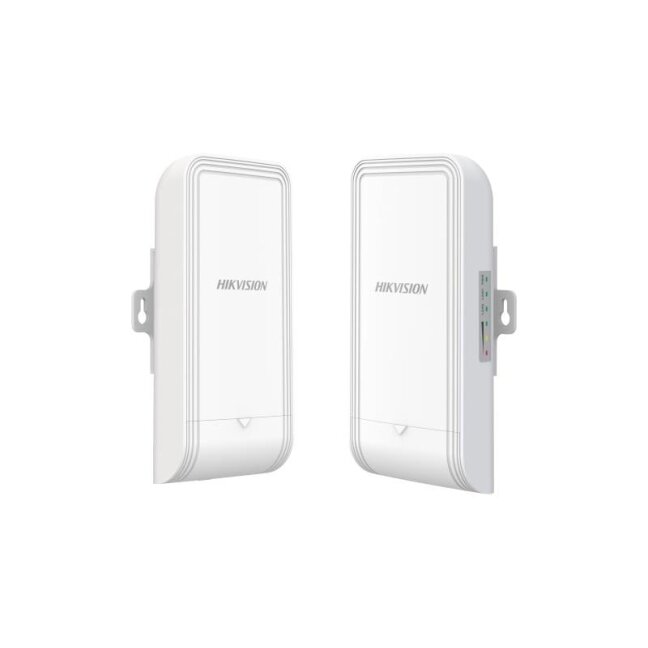
Wireless bridge transmitter Hikvision DS-3WF1000-EI-2N
ManufacturerHikvision-
- Approval
- ChemistryCE-RoHS (2011/65/EU),WEEE (2012/19/EU),Reach (Regulation (EC) No.1907/2006)
- EMCCE-EMC (EN 55032: 2015+A11: 2020, EN IEC 61000-3-2: 2019, EN 61000-3-3: 2013+A1: 2019, EN 50130-4: 2011+A1: 2014, EN 55035: 2017+A11: 2020)
- RadioEN 301 893,EN 300 440,EN 62311,EN 301 489-3,EN 301 489-17
- SafetyCB (AMD1:2009, AMD2:2013, IEC 62368-1: 2014 (Second Edition)), CE-LVD (EN 62368-1: 2014+A11: 2017)
- General
- Gross Weight0.9 kg (1.98 lb)
- Ingress ProtectionIP55
- Installation ModePole Mounting
- Net Weight 0.26 kg (0.57 lb) per device
- Package Dimensions (W × H × D)256 mm × 231 mm × 86 mm (10.07" × 9.09" × 3.38")
- Packing ListWireless Bridge × 2,Power Adapter (12 VDC, 1 A) × 2,10/100 Mbps PoE Injector × 2,Binding Tape × 4,Quick Start Guide ×1,Regulatory Compliance and Safety Information × 1
- Packing MethodPacking in pairs
- Power Consumption1.8 W for typical (1-ch 2MP IPC), Max. 4.5 W
- Product Dimensions (W × H × D) 90.8 mm × 187.87 mm × 57.87 mm (3.57'' × 7.39'' × 2.27'')
- Storage Humidity5% to 95% (no condensation)
- Storage Temperature-40 °C to 80 °C (-40 °F to 176 °F)
- Working Humidity5% to 95% (no condensation)
- Working Temperature-30 °C to 60 °C (-22 °F to 140 °F)
- Hardware Parameter
- LED IndicatorPower indicator,LAN indicator,Signal intensity indicator
- Network Interface2 × 10/100 Mbps RJ45 ports
- Power Supply12-24 VDC Passive PoE
- ResetHardware resetting button
- Software Function
- Application FunctionIFM,IPM
- Channel SelectionAuto/manual selection
- Channel Width10/20/40 MHz
- HPPSupport one-click activation and remote management via Hik-Partner Pro. Functions supported: 1. Reboot device 2. Restore device 3. Display the topology information 4. Display the connection status between AP and CPEs, including signal intensity, backgroud noise, sending & receiving rate 5. Configure wireless settings, including working mode, SSID, password, channel, channel bandwidth, transmitting power 6. Bridge alignment 7. Spectrum scanning
- Management MethodHCP,Web,iVMS-4200,HPP
- Network ProtocolNTP (network time synchronization),SADP (auto search for IP address), HTTPS/HTTP (web management),SSH (debugging)
- Security MechanismWireless network name hidden
- Security ModeWPA2-PSK
- System LogSyslog,Control center information
- UpgradeWeb,iVMS-4200,HCP,HPP
- Wireless Parameter
- Antenna Angle(H) Beamwidth [3 dB] 60° (V) Beamwidth [3 dB] 50°
- Antenna Gain7 dBi
- Max. Transmission Rate of Air Interface≤ 300 Mbps
- Receiving Sensitivity-87±2 dBm @HT40 MCS0
- Throughput RatePTP: ,90 Mbps/0.2 KM(HT40),90 Mbps/0.5 KM(HT40),70 Mbps/1 KM(HT40),PTMP(1 to 4): ,40 Mbps/1 KM(HT40)
- Transmitting Power22 dBm @11n MCS0 (Note: Transmitting power may vary with local regulations.)
- Wireless StandardIEEE 802.11b/g/n (2 × 2 MIMO 300 Mbps)
- Working Frequency Band2400 MHz ~ 2483.5 MHz
- Video, audio, intrusion and access control systems
- Electrical Equipment and Power Supplies
- Network Equipment and WiFi
- Cables and Wires
- Tools and Accessories
- Smart Technology
- Nursing and Healthcare Systems
Products catalog
-
Video, audio, intrusion and access control systems
- IP video surveillance
- Analog video surveillance
- Intrusion systems
- Fire
- Access Control
- Intercom
- Speakers
- Electrical Equipment and Power Supplies
- Network Equipment and WiFi
- Cables and Wires
- Tools and Accessories
- Smart Technology
- Nursing and Healthcare Systems
E-shop
Rass-security systems. Company code: 305706724 VAT number: LT100013849613. Panerių g. 64, LT-03160, Vilnius, Vilniaus m. sav., LITHUANIA. Phone: +37064575015.
© 2026 Rass-security systems. Without Rass-security systems confirmation any use or copying of site content is prohibited.
Wireless bridge transmitter Hikvision DS-3WF1000-EI-2N
Add to cart -